Hard drives from popular brands – see the selection


Hard drives from popular brands – see the selection
Hard drives still play a central role in both desktop and laptop computers, even in an era where SSDs are becoming increasingly popular. They are used for everything from secure file storage to backups and media collections. The range is wide – from compact external models to large internal drives with high capacity.
In this article, you’ll get an overview of what to consider when choosing a hard drive, as well as an introduction to the most common types and brands on the market.
The article presents a selection of hard drives from various manufacturers and in different price ranges. The goal is to provide an overview of features, capacity, and areas of use, so you can more easily find a model that suits your needs. The product information is based on publicly available descriptions from manufacturers and retailers and is summarised to give a clear and informative overview.
Factors to consider when buying a hard drive
When choosing a hard drive, the right choice depends on how you plan to use it. Here are some of the most important factors to consider.
1. Capacity and speed
The capacity determines how much data you can store. For general use, 1–2 TB is often sufficient, while professional users or gamers may need 4 TB or more. Speed is usually measured in revolutions per minute (RPM) – 5400 RPM is standard for storage, while 7200 RPM provides faster access times.
2. Connectivity and compatibility
Internal hard drives most often use a SATA connection, while external models usually use USB 3.0 or USB-C. Make sure your computer supports the chosen connection type so you get optimal transfer speed.
3. Form factor
Hard drives mainly come in two sizes: 3.5" for desktop computers and 2.5" for laptops or external enclosures. Choose the size that fits your system and your need for mobility.
4. Reliability and warranty
Hard drives are mechanical devices, and wear can lead to failure over time. It can therefore be worthwhile to choose a brand with a good warranty and proven reliability. Also consider supplementing with backup solutions for extra security.
5. Price and usage
The price depends on capacity, speed, and brand. If you primarily use the drive for backup, a more affordable model may be sufficient. For gaming or video editing, however, it may be worth investing in a faster drive with higher performance.
Products in focus
The IBM BladeCenter SFF SCSI Storage Expansion Unit 2 is an internal RAID unit that expands the storage capacity of IBM BladeCenter HS20 servers. The unit is designed to be mounted directly on the server and allows the addition of two Ultra320 SCSI hard drives in a hot-swap configuration.
The integrated Ultra320 SCSI controller supports RAID 1E, which combines mirroring and striping to increase both data security and performance. With a data transfer rate of up to 320 MBps, the unit delivers fast data access and stable operation in demanding server environments.
The solution is aimed at users who want a compact and efficient way to expand the storage capacity of their BladeCenter system without compromising reliability or compatibility.
- Internal RAID unit: Mounts directly in IBM BladeCenter HS20 servers.
- Supports two hard drives: 2 x hot-swap 3.5" bays for Ultra320 SCSI drives.
- RAID 1E mirroring: Provides increased data security and performance.
- High data speed: Up to 320 MBps via Ultra320 SCSI interface.
- Designed for IBM BladeCenter HS20: Compatible with models 1883 and 8843.
Pros and cons
- Compact and integrated design for BladeCenter servers
- Supports hot-swap of hard drives
- RAID 1E provides extra data security
- High transfer speed via Ultra320 SCSI
- Limited to two hard drives
- Only compatible with specific IBM BladeCenter HS20 models
- The technology is outdated compared to newer storage standards
Pros and cons
Pros
- Compact and integrated design for BladeCenter servers
- Supports hot-swap of hard drives
- RAID 1E provides extra data security
- High transfer speed via Ultra320 SCSI
Cons
- Limited to two hard drives
- Only compatible with specific IBM BladeCenter HS20 models
- The technology is outdated compared to newer storage standards
Pros
- Compact and integrated design for BladeCenter servers
- Supports hot-swap of hard drives
- RAID 1E provides extra data security
- High transfer speed via Ultra320 SCSI
Cons
- Limited to two hard drives
- Only compatible with specific IBM BladeCenter HS20 models
- The technology is outdated compared to newer storage standards
Specifications
- Manufacturer: IBM / Lenovo
- Model: 39R8625
- Item number: 2071487
- EAN: 5704327454649
- Device type: Internal RAID unit
- Hard drive form factor compatibility: 3.5"
- Interface: Ultra320 SCSI
- Data transfer rate: 320 MBps
- Expansion bays: 2 x hot-swap - 3.5"
- Supported devices: Hard drive
- Max. number of storage devices: 2
- RAID level: RAID 1E
- Designed for: IBM BladeCenter HS20 1883, HS20 8843
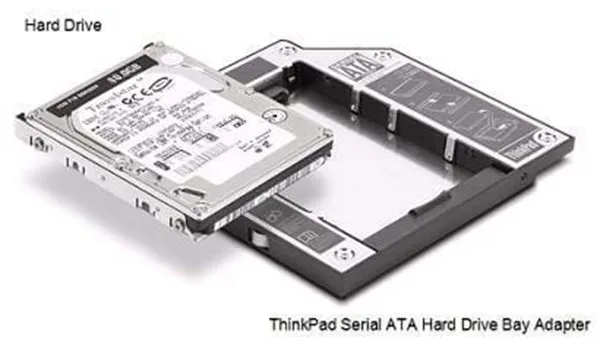
The Lenovo ThinkPad Serial ATA Hard Drive Bay Adapter III is designed to give ThinkPad users the ability to add an additional 2.5" SATA hard drive in the existing Ultrabay Slim port. The adapter functions as a frame that replaces an optical drive or another Ultrabay device, thereby providing extra storage space or the option for quick backups.
The device is compatible with a range of ThinkPad models, including the R, T, W, and X series, when used together with UltraBase docking stations. It supports the standard 22-pin SATA connection and fits 2.5" drives in slimline format.
The adapter is made in a compact design with dimensions of 12.8 × 13.3 × 1.05 cm and a weight of around 100 grams, making it easy to handle and integrate into the system. It comes with a 1-year manufacturer warranty.
- Expands storage capacity: Makes it possible to add an additional 2.5" SATA hard drive in the ThinkPad Ultrabay.
- Compatible with many models: Supports several ThinkPad series, including R400, T400, T410, T500, W500, and the X200 series.
- Lightweight and compact construction: Weighs only 100 grams and fits in the Ultrabay Slim slot.
- Standard SATA connection: 22-pin interface ensures compatibility with common 2.5" drives.
- Original Lenovo component: Designed specifically for ThinkPad systems for optimal fit and function.
Pros and cons
- Easy way to expand storage space without external devices
- Original Lenovo component with precise fit
- Supports standard 2.5" SATA drives
- Lightweight and compact design
- Not compatible with newer ThinkPad models such as the T420
- The product is discontinued and may be difficult to find in stock
Pros and cons
Pros
- Easy way to expand storage space without external devices
- Original Lenovo component with precise fit
- Supports standard 2.5" SATA drives
- Lightweight and compact design
Cons
- Not compatible with newer ThinkPad models such as the T420
- The product is discontinued and may be difficult to find in stock
Pros
- Easy way to expand storage space without external devices
- Original Lenovo component with precise fit
- Supports standard 2.5" SATA drives
- Lightweight and compact design
Cons
- Not compatible with newer ThinkPad models such as the T420
- The product is discontinued and may be difficult to find in stock
Specifications
- Manufacturer: Lenovo
- Model: 43N3412
- Item number: 2185260
- EAN: 0884942005817
- Device type: Frame – Ultrabay Slim
- Supported form factor: 5.25" Slim Line to 2.5"
- Expansion slot: 1 x internal – 2.5"
- Compatible slot: 1 x external 5.25" x 1/6H (Slim Line)
- Drive connection: 22-pin Serial ATA
- Dimensions (W × D × H): 12.8 × 13.3 × 1.05 cm
- Weight: 100 g
- Manufacturer warranty: 1 year
- Compatible models: ThinkPad UltraBase Series 3, X200 UltraBase, R400, R500, T400, T400s, T410, T410i, T410s, T420s, T420si, T430s, T500, W500, X200, X200 Tablet, X200s, X200si, X201, X201 Tablet, X201i, X201i Tablet, X201s, X220, X220 Tablet, X220i, X220i Tablet, X230, X230 Tablet, X230i, X230i Tablet
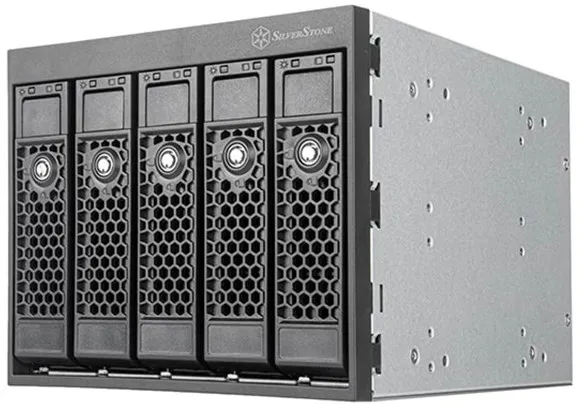
The SilverStone SST-FS305-E is a hard drive frame designed to utilise three 5.25-inch drive bays for the installation of up to five 3.5-inch hard drives. It supports hot-swap, which means that drives can be replaced without shutting down the system.
The frame is intended for use in cases where high storage density and quick access to multiple drives are required, such as in servers, workstations, or NAS solutions. The construction is usually made of metal to ensure stability and efficient heat dissipation.
With its modular design, the SST-FS305-E provides a convenient way to organise and swap hard drives, which can be an advantage in environments where data often needs to be moved or exchanged.
- Hot-swap function: Allows drives to be replaced without shutting down the system.
- Space-saving design: Mounts five 3.5-inch drives in three 5.25-inch bays.
- Robust construction: Usually made of metal for stability and heat dissipation.
- Suitable for servers and workstations: Ideal for systems requiring fast drive access.
Pros and cons
- Supports hot-swap for easy drive replacement
- Uses space efficiently with five drives in three bays
- Solid construction suitable for continuous operation
- Requires free space in three 5.25-inch drive bays
- May generate extra heat depending on airflow in the case
Pros and cons
Pros
- Supports hot-swap for easy drive replacement
- Uses space efficiently with five drives in three bays
- Solid construction suitable for continuous operation
Cons
- Requires free space in three 5.25-inch drive bays
- May generate extra heat depending on airflow in the case
Pros
- Supports hot-swap for easy drive replacement
- Uses space efficiently with five drives in three bays
- Solid construction suitable for continuous operation
Cons
- Requires free space in three 5.25-inch drive bays
- May generate extra heat depending on airflow in the case
Specifications
- Manufacturer: SilverStone
- Model: SST-FS305-E
- Category: Hard drive accessories
- Mounting bays: 3 × 5.25" to 5 × 3.5" HDD
- Function: Hot-swap support
- SKU/Item number: 3184753
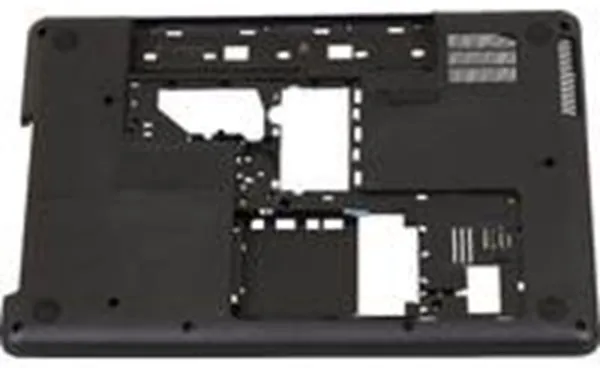
The HP PLA BASE ENCLOSURE HD CR MBLAC is an enclosure that serves as a base unit for mounting hard drives in HP systems. The unit is developed by HP and ensures correct fit and stable mounting of internal storage devices.
The enclosure part is made of black material and is intended for use in specific HP models, where it functions as part of the internal structure around the hard drive. It protects the components and contributes to a secure installation.
As an original spare part from HP, the product is developed to meet the manufacturer’s quality standards and ensure compatibility with the corresponding systems.
- Original HP component: Ensures full compatibility with selected HP systems.
- Base enclosure for hard drive: Designed for mounting and protecting internal hard drives.
- Black finish: Matches the rest of the enclosure design in HP units.
- Model number 606592-001: Identifies the specific spare part.
Pros and cons
- Original spare part from HP with guaranteed fit
- Suitable for replacement or repair of existing enclosure parts
- Robust construction for secure mounting of hard drives
- Only compatible with selected HP models
- The product is discontinued and may be difficult to find in stock
Pros and cons
Pros
- Original spare part from HP with guaranteed fit
- Suitable for replacement or repair of existing enclosure parts
- Robust construction for secure mounting of hard drives
Cons
- Only compatible with selected HP models
- The product is discontinued and may be difficult to find in stock
Pros
- Original spare part from HP with guaranteed fit
- Suitable for replacement or repair of existing enclosure parts
- Robust construction for secure mounting of hard drives
Cons
- Only compatible with selected HP models
- The product is discontinued and may be difficult to find in stock
Specifications
- Manufacturer: HP
- Model: 606592-001
- EAN: 5711045186486
- Item number: 2355025
- Product type: Base enclosure for hard drive
- Colour: Black (MBLAC)
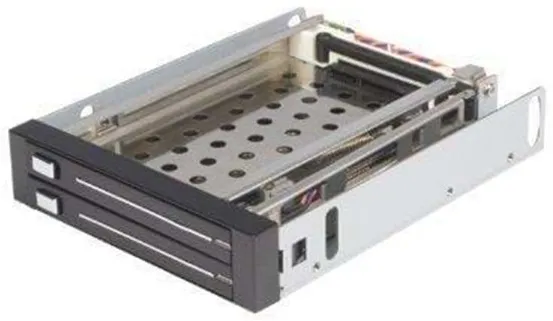
The StarTech.com 2 Drive 2.5in Trayless Hot Swap SATA Mobile Rack Backplane makes it possible to install and replace two 2.5" SATA hard drives without using mounting brackets. The unit fits into a standard 3.5" bay, making it suitable for both desktop computers and rack-mounted systems.
The frame is made of aluminium, providing a solid and lightweight construction that also contributes to effective heat dissipation. The trayless mechanism makes it easy to insert and remove drives, saving time during testing, maintenance, or data transfer.
With support for SATA speeds up to 6 Gbps and full RAID compatibility, the product can be used in demanding storage environments where both performance and flexibility are important. It is a practical solution for users who often work with multiple hard drives or need quick access to data.
- Trayless design: Allows drives to be inserted and removed without mounting brackets.
- Dual drive capacity: Supports two 2.5" SATA drives in one 3.5" bay.
- Hot-swap function: Replace drives without shutting down the system.
- Robust construction: Aluminium housing ensures durability and heat dissipation.
- High compatibility: Supports SATA I, II, and III up to 6 Gbps and RAID configurations.
Pros and cons
- Easy installation and replacement of drives without tools
- Space-saving design with two drives in one bay
- Compatible with multiple SATA standards
- Solid aluminium frame for better heat dissipation
- Requires a free 3.5" internal bay
- No built-in cooling or fan
Pros and cons
Pros
- Easy installation and replacement of drives without tools
- Space-saving design with two drives in one bay
- Compatible with multiple SATA standards
- Solid aluminium frame for better heat dissipation
Cons
- Requires a free 3.5" internal bay
- No built-in cooling or fan
Pros
- Easy installation and replacement of drives without tools
- Space-saving design with two drives in one bay
- Compatible with multiple SATA standards
- Solid aluminium frame for better heat dissipation
Cons
- Requires a free 3.5" internal bay
- No built-in cooling or fan
Specifications
- Manufacturer: StarTech.com
- Model: HSB220SAT25B
- Item number: 2292722
- EAN: 0065030827980
- Device type: Frame
- Colour: Black
- Material: Aluminium
- Expansion bays: 2 x hot-swap - 2.5"
- Compatible bay: 1 x internal 3.5"
- Interface: 2 x SATA 3Gb/s - SATA power, 2 x SATA 3Gb/s - SATA
- Connections: 2 x 15-pin SATA power, 2 x 7-pin SATA data
- Compliance standards: FCC, RoHS
- Dimensions (W x D x H): 10.2 cm x 13.4 cm x 2.4 cm
- Weight: 283 g
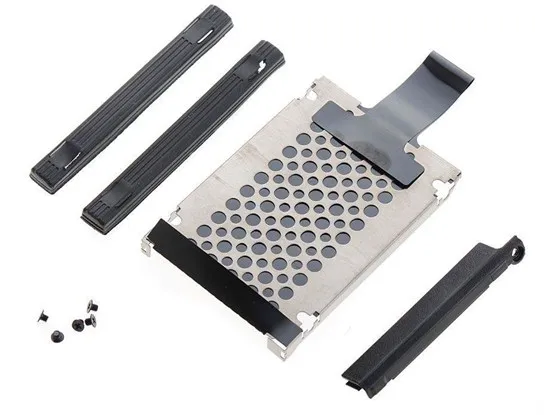
The IBM Cover HDD X200 is an original cover for the hard drive in the IBM ThinkPad X200 series. The cover protects the hard drive from dust and mechanical impacts while ensuring it is securely fastened in the chassis.
The product is manufactured as a spare part for use when replacing or repairing existing components in the X200 model. It is designed to fit precisely with the computer’s construction and maintain the original quality and functionality.
As part of IBM’s original accessories, the cover is made from materials that match the rest of the device’s design and durability.
- Original spare part: Developed by IBM for the ThinkPad X200 series.
- Hard drive protection: The cover protects against dust and mechanical impacts.
- Precise fit: Ensures correct installation and stability of the hard drive.
- Durable construction: Made from materials that match the computer’s design.
Pros and cons
- Original IBM component with precise fit
- Easy replacement during repair or maintenance
- Helps protect the hard drive from damage
- The product is discontinued and may be difficult to find in stock
- Only compatible with the ThinkPad X200 series
Pros and cons
Pros
- Original IBM component with precise fit
- Easy replacement during repair or maintenance
- Helps protect the hard drive from damage
Cons
- The product is discontinued and may be difficult to find in stock
- Only compatible with the ThinkPad X200 series
Pros
- Original IBM component with precise fit
- Easy replacement during repair or maintenance
- Helps protect the hard drive from damage
Cons
- The product is discontinued and may be difficult to find in stock
- Only compatible with the ThinkPad X200 series
Specifications
- Manufacturer: IBM
- Product name: Cover HDD X200
- Model: FRU45N3135
- EAN: 5704327944478
- Item number: 2327777
- Category: Hard drive accessories
- Compatibility: IBM ThinkPad X200 series
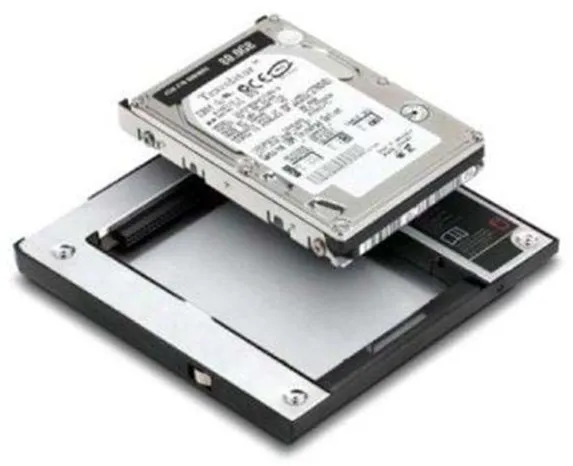
Lenovo Hard Drive Bay Serial ATA, also known as ThinkPad Serial ATA Hard Drive Bay Adapter II, is designed to give ThinkPad users the ability to add an additional 2.5" SATA hard drive in the existing Ultrabay. This provides a flexible way to expand storage space or create a fast backup solution directly in the computer.
The adapter fits several ThinkPad models, including R400, R500, T400, T500, W500 and W700, as well as X200 UltraBase. It utilises the internal SATA 1.5Gb/s interface and requires no separate power supply.
With a compact construction of 12.8 × 13.8 × 1.1 cm and a weight of only 80 grams, the adapter is easy to install and transport. It is manufactured in accordance with UL standards for safety and quality.
- Expands storage capacity: Makes it possible to add an additional 2.5" SATA hard drive in ThinkPad laptops.
- Compatibility: Supports models such as R400, R500, T400, T500, W500, W700 and X200 UltraBase.
- Lightweight construction: Weighs only 80 grams and takes up minimal space in the system.
- Easy installation: Fits directly into the Ultrabay without the need for extra cables.
- Safety and quality: Complies with UL standards.
Pros and cons
- Provides the possibility for extra internal storage in compatible ThinkPads
- Lightweight and compact design
- Easy tool-free installation
- Compatible with several ThinkPad series
- Only compatible with selected older ThinkPad models
- Supports only SATA 1.5Gb/s, which may limit speed compared to newer standards
- The product is discontinued and may be difficult to find in stock
Pros and cons
Pros
- Provides the possibility for extra internal storage in compatible ThinkPads
- Lightweight and compact design
- Easy tool-free installation
- Compatible with several ThinkPad series
Cons
- Only compatible with selected older ThinkPad models
- Supports only SATA 1.5Gb/s, which may limit speed compared to newer standards
- The product is discontinued and may be difficult to find in stock
Pros
- Provides the possibility for extra internal storage in compatible ThinkPads
- Lightweight and compact design
- Easy tool-free installation
- Compatible with several ThinkPad series
Cons
- Only compatible with selected older ThinkPad models
- Supports only SATA 1.5Gb/s, which may limit speed compared to newer standards
- The product is discontinued and may be difficult to find in stock
Specifications
- Manufacturer: Lenovo
- Model: 43R1980
- Item number: 2118662
- EAN: 5704327569084
- Device type: Frame (Hard Drive Bay Adapter)
- Expansion bays: 1 x internal - 2.5"
- Interface: 1 x SATA 1.5Gb/s
- Compatible bay: 1 x external
- Dimensions (W x D x H): 12.8 cm x 13.8 cm x 1.1 cm
- Weight: 80 g
- Compliance standards: UL
- Operating temperature: 5 °C to 35 °C
- Humidity level in use: 8 - 90 %
- Designed for: ThinkPad R400, R500, T400, T500, W500, W700, X200 UltraBase
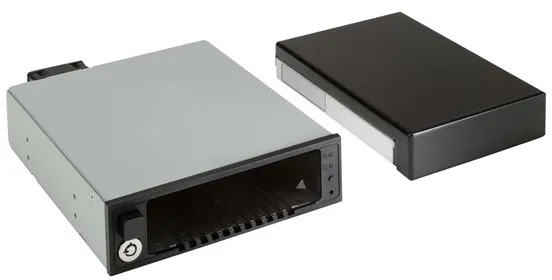
The HP DX175 Removable HDD Spare Carrier functions as a holder for storage devices, allowing hard drives to be installed or replaced in HP’s Z-series workstations without the use of tools. It is designed to fit precisely in the chassis and ensures stable mounting of hard drives.
The caddy is compatible with several models in HP’s workstation series, including Z2 G4, Z2 G5, Z4 G4, Z4 G5, Z6 G4 and Z8 G4. It is intended for users who need quick access to removable storage devices, for example in environments with large amounts of data or a need for secure data management.
As an original spare part from HP, it is designed to maintain system reliability and compatibility, making it suitable for both upgrades and replacements in existing systems.
- Removable hard drive carrier: Allows hard drives to be mounted and removed quickly and securely.
- Compatibility with HP Workstations: Fits models such as Z2, Z4, Z6 and Z8 in the G4 and G5 series.
- Original HP component: Ensures optimal fit and operational reliability.
- Tool-free installation: Simplifies handling and maintenance of storage devices.
Pros and cons
- Easy installation and replacement of hard drives
- Compatible with multiple HP workstation models
- Original spare part with precise fit
- Suitable for professional environments requiring flexible storage management
- Only compatible with specific HP Z-series workstations
- The product is discontinued and may be difficult to find in stock
Pros and cons
Pros
- Easy installation and replacement of hard drives
- Compatible with multiple HP workstation models
- Original spare part with precise fit
- Suitable for professional environments requiring flexible storage management
Cons
- Only compatible with specific HP Z-series workstations
- The product is discontinued and may be difficult to find in stock
Pros
- Easy installation and replacement of hard drives
- Compatible with multiple HP workstation models
- Original spare part with precise fit
- Suitable for professional environments requiring flexible storage management
Cons
- Only compatible with specific HP Z-series workstations
- The product is discontinued and may be difficult to find in stock
Specifications
- Manufacturer: HP
- Model: 1ZX72AA
- Item number: 2656987
- EAN: 191628019953
- Device type: Storage device holder (caddy)
- Designed for: HP Workstation Z2 G4, Z2 G5, Z4 G4, Z4 G5, Z6 G4, Z8 G4
- Processor: Without CPU
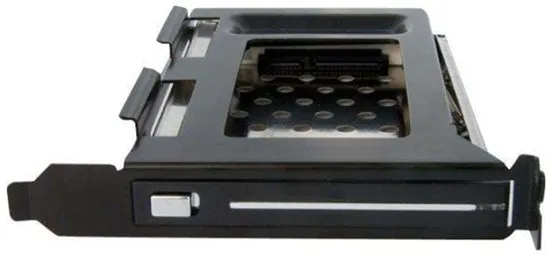
The StarTech.com S25SLOTR is a removable hard drive frame designed to provide quick access to 2.5" SATA hard drives or SSDs directly from the computer’s back panel. It mounts in a free full-profile PCI slot and requires no internal drive bracket, making installation and drive replacement simple and time-saving.
The frame supports SATA, SATA II, and SATA III drives and is made of aluminium and steel to ensure a solid and durable construction. The hot-swap compatible design allows drives to be inserted and removed without having to open the case.
With a simple press of the eject button, the drive can be safely removed, and the integrated locking mechanism protects against accidental removal. The solution is ideal for technicians, test environments, or users who regularly work with multiple 2.5" drives.
- Trayless design: Allows insertion and removal of 2.5" SATA drives without using a mounting bracket.
- PCI slot mounting: Utilises a free full-profile PCI slot on the computer’s back panel.
- Hot-swap compatibility: Supports drive replacement without shutting down the system.
- Robust construction: Made of aluminium and steel for increased durability.
- Easy access: Eject button and locking mechanism for quick and safe handling of drives.
Pros and cons
- Easy installation in existing PCI slot
- Trayless design saves time when replacing drives
- Supports both HDD and SSD in 2.5" format
- Solid construction in metal materials
- Requires a free full-profile PCI slot
- Not suitable for 3.5" drives
Pros and cons
Pros
- Easy installation in existing PCI slot
- Trayless design saves time when replacing drives
- Supports both HDD and SSD in 2.5" format
- Solid construction in metal materials
Cons
- Requires a free full-profile PCI slot
- Not suitable for 3.5" drives
Pros
- Easy installation in existing PCI slot
- Trayless design saves time when replacing drives
- Supports both HDD and SSD in 2.5" format
- Solid construction in metal materials
Cons
- Requires a free full-profile PCI slot
- Not suitable for 3.5" drives
Specifications
- Manufacturer: StarTech.com
- Model: S25SLOTR
- Item number: 2292808
- EAN: 0065030836074
- Device type: Frame
- Colour: Black
- Material: Aluminium, steel
- Expansion bays: 1 x hot-swap - 2.5"
- Interface: SATA 3Gb/s (SATA combo)
- Connections: 1 x Serial ATA-300 - 22 pin
- Compatible openings: 1 x PCI (full-profile)
- Included cables: 1 x internal SATA cable
- Compliance standards: FCC, RoHS
- Dimensions (W x D x H): 14.5 cm x 2.1 cm x 12 cm
- Weight: 158 g
- Operating temperature: 0 °C to 55 °C
- Humidity (in use): 0 - 80%
The IBM Lenovo hard drive backplane is a component that acts as a connection link between the server’s motherboard and its hard drives. It is designed to handle up to four drives and ensures stable data transfer in systems where high uptime and efficient storage management are necessary.
The backplane is compatible with IBM System x3850 X6 and x3950 X6 servers in 2.5-inch format. It allows expansion or replacement of storage devices without compromising the system’s performance or structure.
With its robust construction and precise fit, the component is suitable for professional environments where operational reliability and compatibility with existing IBM infrastructure are important factors.
- Supports up to four drives: Provides the possibility for flexible storage expansion.
- Compatibility: Designed for IBM System x3850 X6 and x3950 X6 servers.
- Reliable connection: Ensures stable communication between hard drives and the system’s motherboard.
- Original IBM component: Developed to match the manufacturer’s quality standards.
Pros and cons
- Supports multiple drives in a compact server format
- Compatible with specific IBM System x models
- Easy to integrate into existing server infrastructure
- Limited to compatible IBM servers
- The product is discontinued and may be difficult to obtain
Pros and cons
Pros
- Supports multiple drives in a compact server format
- Compatible with specific IBM System x models
- Easy to integrate into existing server infrastructure
Cons
- Limited to compatible IBM servers
- The product is discontinued and may be difficult to obtain
Pros
- Supports multiple drives in a compact server format
- Compatible with specific IBM System x models
- Easy to integrate into existing server infrastructure
Cons
- Limited to compatible IBM servers
- The product is discontinued and may be difficult to obtain
Specifications
- Manufacturer: Lenovo
- Model: 44X4104
- Product type: Hard drive backplane
- Capacity: Up to 4 drives
- Compatibility: System x3850 X6 (2.5"), x3950 X6 (2.5")
- EAN: 0883436424110
- Item number: 2563215
Product descriptions
The IBM BladeCenter SFF SCSI Storage Expansion Unit 2 is an internal RAID unit that expands the storage capacity of IBM BladeCenter HS20 servers. The unit is designed to be mounted directly on the server and allows the addition of two Ultra320 SCSI hard drives in a hot-swap configuration.
The integrated Ultra320 SCSI controller supports RAID 1E, which combines mirroring and striping to increase both data security and performance. With a data transfer rate of up to 320 MBps, the unit delivers fast data access and stable operation in demanding server environments.
The solution is aimed at users who want a compact and efficient way to expand the storage capacity of their BladeCenter system without compromising reliability or compatibility.
- Internal RAID unit: Mounts directly in IBM BladeCenter HS20 servers.
- Supports two hard drives: 2 x hot-swap 3.5" bays for Ultra320 SCSI drives.
- RAID 1E mirroring: Provides increased data security and performance.
- High data speed: Up to 320 MBps via Ultra320 SCSI interface.
- Designed for IBM BladeCenter HS20: Compatible with models 1883 and 8843.
Pros and cons
- Compact and integrated design for BladeCenter servers
- Supports hot-swap of hard drives
- RAID 1E provides extra data security
- High transfer speed via Ultra320 SCSI
- Limited to two hard drives
- Only compatible with specific IBM BladeCenter HS20 models
- The technology is outdated compared to newer storage standards
Pros and cons
Pros
- Compact and integrated design for BladeCenter servers
- Supports hot-swap of hard drives
- RAID 1E provides extra data security
- High transfer speed via Ultra320 SCSI
Cons
- Limited to two hard drives
- Only compatible with specific IBM BladeCenter HS20 models
- The technology is outdated compared to newer storage standards
Pros
- Compact and integrated design for BladeCenter servers
- Supports hot-swap of hard drives
- RAID 1E provides extra data security
- High transfer speed via Ultra320 SCSI
Cons
- Limited to two hard drives
- Only compatible with specific IBM BladeCenter HS20 models
- The technology is outdated compared to newer storage standards
Specifications
- Manufacturer: IBM / Lenovo
- Model: 39R8625
- Item number: 2071487
- EAN: 5704327454649
- Device type: Internal RAID unit
- Hard drive form factor compatibility: 3.5"
- Interface: Ultra320 SCSI
- Data transfer rate: 320 MBps
- Expansion bays: 2 x hot-swap - 3.5"
- Supported devices: Hard drive
- Max. number of storage devices: 2
- RAID level: RAID 1E
- Designed for: IBM BladeCenter HS20 1883, HS20 8843
The Lenovo ThinkPad Serial ATA Hard Drive Bay Adapter III is designed to give ThinkPad users the ability to add an additional 2.5" SATA hard drive in the existing Ultrabay Slim port. The adapter functions as a frame that replaces an optical drive or another Ultrabay device, thereby providing extra storage space or the option for quick backups.
The device is compatible with a range of ThinkPad models, including the R, T, W, and X series, when used together with UltraBase docking stations. It supports the standard 22-pin SATA connection and fits 2.5" drives in slimline format.
The adapter is made in a compact design with dimensions of 12.8 × 13.3 × 1.05 cm and a weight of around 100 grams, making it easy to handle and integrate into the system. It comes with a 1-year manufacturer warranty.
- Expands storage capacity: Makes it possible to add an additional 2.5" SATA hard drive in the ThinkPad Ultrabay.
- Compatible with many models: Supports several ThinkPad series, including R400, T400, T410, T500, W500, and the X200 series.
- Lightweight and compact construction: Weighs only 100 grams and fits in the Ultrabay Slim slot.
- Standard SATA connection: 22-pin interface ensures compatibility with common 2.5" drives.
- Original Lenovo component: Designed specifically for ThinkPad systems for optimal fit and function.
Pros and cons
- Easy way to expand storage space without external devices
- Original Lenovo component with precise fit
- Supports standard 2.5" SATA drives
- Lightweight and compact design
- Not compatible with newer ThinkPad models such as the T420
- The product is discontinued and may be difficult to find in stock
Pros and cons
Pros
- Easy way to expand storage space without external devices
- Original Lenovo component with precise fit
- Supports standard 2.5" SATA drives
- Lightweight and compact design
Cons
- Not compatible with newer ThinkPad models such as the T420
- The product is discontinued and may be difficult to find in stock
Pros
- Easy way to expand storage space without external devices
- Original Lenovo component with precise fit
- Supports standard 2.5" SATA drives
- Lightweight and compact design
Cons
- Not compatible with newer ThinkPad models such as the T420
- The product is discontinued and may be difficult to find in stock
Specifications
- Manufacturer: Lenovo
- Model: 43N3412
- Item number: 2185260
- EAN: 0884942005817
- Device type: Frame – Ultrabay Slim
- Supported form factor: 5.25" Slim Line to 2.5"
- Expansion slot: 1 x internal – 2.5"
- Compatible slot: 1 x external 5.25" x 1/6H (Slim Line)
- Drive connection: 22-pin Serial ATA
- Dimensions (W × D × H): 12.8 × 13.3 × 1.05 cm
- Weight: 100 g
- Manufacturer warranty: 1 year
- Compatible models: ThinkPad UltraBase Series 3, X200 UltraBase, R400, R500, T400, T400s, T410, T410i, T410s, T420s, T420si, T430s, T500, W500, X200, X200 Tablet, X200s, X200si, X201, X201 Tablet, X201i, X201i Tablet, X201s, X220, X220 Tablet, X220i, X220i Tablet, X230, X230 Tablet, X230i, X230i Tablet
The SilverStone SST-FS305-E is a hard drive frame designed to utilise three 5.25-inch drive bays for the installation of up to five 3.5-inch hard drives. It supports hot-swap, which means that drives can be replaced without shutting down the system.
The frame is intended for use in cases where high storage density and quick access to multiple drives are required, such as in servers, workstations, or NAS solutions. The construction is usually made of metal to ensure stability and efficient heat dissipation.
With its modular design, the SST-FS305-E provides a convenient way to organise and swap hard drives, which can be an advantage in environments where data often needs to be moved or exchanged.
- Hot-swap function: Allows drives to be replaced without shutting down the system.
- Space-saving design: Mounts five 3.5-inch drives in three 5.25-inch bays.
- Robust construction: Usually made of metal for stability and heat dissipation.
- Suitable for servers and workstations: Ideal for systems requiring fast drive access.
Pros and cons
- Supports hot-swap for easy drive replacement
- Uses space efficiently with five drives in three bays
- Solid construction suitable for continuous operation
- Requires free space in three 5.25-inch drive bays
- May generate extra heat depending on airflow in the case
Pros and cons
Pros
- Supports hot-swap for easy drive replacement
- Uses space efficiently with five drives in three bays
- Solid construction suitable for continuous operation
Cons
- Requires free space in three 5.25-inch drive bays
- May generate extra heat depending on airflow in the case
Pros
- Supports hot-swap for easy drive replacement
- Uses space efficiently with five drives in three bays
- Solid construction suitable for continuous operation
Cons
- Requires free space in three 5.25-inch drive bays
- May generate extra heat depending on airflow in the case
Specifications
- Manufacturer: SilverStone
- Model: SST-FS305-E
- Category: Hard drive accessories
- Mounting bays: 3 × 5.25" to 5 × 3.5" HDD
- Function: Hot-swap support
- SKU/Item number: 3184753
The HP PLA BASE ENCLOSURE HD CR MBLAC is an enclosure that serves as a base unit for mounting hard drives in HP systems. The unit is developed by HP and ensures correct fit and stable mounting of internal storage devices.
The enclosure part is made of black material and is intended for use in specific HP models, where it functions as part of the internal structure around the hard drive. It protects the components and contributes to a secure installation.
As an original spare part from HP, the product is developed to meet the manufacturer’s quality standards and ensure compatibility with the corresponding systems.
- Original HP component: Ensures full compatibility with selected HP systems.
- Base enclosure for hard drive: Designed for mounting and protecting internal hard drives.
- Black finish: Matches the rest of the enclosure design in HP units.
- Model number 606592-001: Identifies the specific spare part.
Pros and cons
- Original spare part from HP with guaranteed fit
- Suitable for replacement or repair of existing enclosure parts
- Robust construction for secure mounting of hard drives
- Only compatible with selected HP models
- The product is discontinued and may be difficult to find in stock
Pros and cons
Pros
- Original spare part from HP with guaranteed fit
- Suitable for replacement or repair of existing enclosure parts
- Robust construction for secure mounting of hard drives
Cons
- Only compatible with selected HP models
- The product is discontinued and may be difficult to find in stock
Pros
- Original spare part from HP with guaranteed fit
- Suitable for replacement or repair of existing enclosure parts
- Robust construction for secure mounting of hard drives
Cons
- Only compatible with selected HP models
- The product is discontinued and may be difficult to find in stock
Specifications
- Manufacturer: HP
- Model: 606592-001
- EAN: 5711045186486
- Item number: 2355025
- Product type: Base enclosure for hard drive
- Colour: Black (MBLAC)
The StarTech.com 2 Drive 2.5in Trayless Hot Swap SATA Mobile Rack Backplane makes it possible to install and replace two 2.5" SATA hard drives without using mounting brackets. The unit fits into a standard 3.5" bay, making it suitable for both desktop computers and rack-mounted systems.
The frame is made of aluminium, providing a solid and lightweight construction that also contributes to effective heat dissipation. The trayless mechanism makes it easy to insert and remove drives, saving time during testing, maintenance, or data transfer.
With support for SATA speeds up to 6 Gbps and full RAID compatibility, the product can be used in demanding storage environments where both performance and flexibility are important. It is a practical solution for users who often work with multiple hard drives or need quick access to data.
- Trayless design: Allows drives to be inserted and removed without mounting brackets.
- Dual drive capacity: Supports two 2.5" SATA drives in one 3.5" bay.
- Hot-swap function: Replace drives without shutting down the system.
- Robust construction: Aluminium housing ensures durability and heat dissipation.
- High compatibility: Supports SATA I, II, and III up to 6 Gbps and RAID configurations.
Pros and cons
- Easy installation and replacement of drives without tools
- Space-saving design with two drives in one bay
- Compatible with multiple SATA standards
- Solid aluminium frame for better heat dissipation
- Requires a free 3.5" internal bay
- No built-in cooling or fan
Pros and cons
Pros
- Easy installation and replacement of drives without tools
- Space-saving design with two drives in one bay
- Compatible with multiple SATA standards
- Solid aluminium frame for better heat dissipation
Cons
- Requires a free 3.5" internal bay
- No built-in cooling or fan
Pros
- Easy installation and replacement of drives without tools
- Space-saving design with two drives in one bay
- Compatible with multiple SATA standards
- Solid aluminium frame for better heat dissipation
Cons
- Requires a free 3.5" internal bay
- No built-in cooling or fan
Specifications
- Manufacturer: StarTech.com
- Model: HSB220SAT25B
- Item number: 2292722
- EAN: 0065030827980
- Device type: Frame
- Colour: Black
- Material: Aluminium
- Expansion bays: 2 x hot-swap - 2.5"
- Compatible bay: 1 x internal 3.5"
- Interface: 2 x SATA 3Gb/s - SATA power, 2 x SATA 3Gb/s - SATA
- Connections: 2 x 15-pin SATA power, 2 x 7-pin SATA data
- Compliance standards: FCC, RoHS
- Dimensions (W x D x H): 10.2 cm x 13.4 cm x 2.4 cm
- Weight: 283 g
The IBM Cover HDD X200 is an original cover for the hard drive in the IBM ThinkPad X200 series. The cover protects the hard drive from dust and mechanical impacts while ensuring it is securely fastened in the chassis.
The product is manufactured as a spare part for use when replacing or repairing existing components in the X200 model. It is designed to fit precisely with the computer’s construction and maintain the original quality and functionality.
As part of IBM’s original accessories, the cover is made from materials that match the rest of the device’s design and durability.
- Original spare part: Developed by IBM for the ThinkPad X200 series.
- Hard drive protection: The cover protects against dust and mechanical impacts.
- Precise fit: Ensures correct installation and stability of the hard drive.
- Durable construction: Made from materials that match the computer’s design.
Pros and cons
- Original IBM component with precise fit
- Easy replacement during repair or maintenance
- Helps protect the hard drive from damage
- The product is discontinued and may be difficult to find in stock
- Only compatible with the ThinkPad X200 series
Pros and cons
Pros
- Original IBM component with precise fit
- Easy replacement during repair or maintenance
- Helps protect the hard drive from damage
Cons
- The product is discontinued and may be difficult to find in stock
- Only compatible with the ThinkPad X200 series
Pros
- Original IBM component with precise fit
- Easy replacement during repair or maintenance
- Helps protect the hard drive from damage
Cons
- The product is discontinued and may be difficult to find in stock
- Only compatible with the ThinkPad X200 series
Specifications
- Manufacturer: IBM
- Product name: Cover HDD X200
- Model: FRU45N3135
- EAN: 5704327944478
- Item number: 2327777
- Category: Hard drive accessories
- Compatibility: IBM ThinkPad X200 series
Lenovo Hard Drive Bay Serial ATA, also known as ThinkPad Serial ATA Hard Drive Bay Adapter II, is designed to give ThinkPad users the ability to add an additional 2.5" SATA hard drive in the existing Ultrabay. This provides a flexible way to expand storage space or create a fast backup solution directly in the computer.
The adapter fits several ThinkPad models, including R400, R500, T400, T500, W500 and W700, as well as X200 UltraBase. It utilises the internal SATA 1.5Gb/s interface and requires no separate power supply.
With a compact construction of 12.8 × 13.8 × 1.1 cm and a weight of only 80 grams, the adapter is easy to install and transport. It is manufactured in accordance with UL standards for safety and quality.
- Expands storage capacity: Makes it possible to add an additional 2.5" SATA hard drive in ThinkPad laptops.
- Compatibility: Supports models such as R400, R500, T400, T500, W500, W700 and X200 UltraBase.
- Lightweight construction: Weighs only 80 grams and takes up minimal space in the system.
- Easy installation: Fits directly into the Ultrabay without the need for extra cables.
- Safety and quality: Complies with UL standards.
Pros and cons
- Provides the possibility for extra internal storage in compatible ThinkPads
- Lightweight and compact design
- Easy tool-free installation
- Compatible with several ThinkPad series
- Only compatible with selected older ThinkPad models
- Supports only SATA 1.5Gb/s, which may limit speed compared to newer standards
- The product is discontinued and may be difficult to find in stock
Pros and cons
Pros
- Provides the possibility for extra internal storage in compatible ThinkPads
- Lightweight and compact design
- Easy tool-free installation
- Compatible with several ThinkPad series
Cons
- Only compatible with selected older ThinkPad models
- Supports only SATA 1.5Gb/s, which may limit speed compared to newer standards
- The product is discontinued and may be difficult to find in stock
Pros
- Provides the possibility for extra internal storage in compatible ThinkPads
- Lightweight and compact design
- Easy tool-free installation
- Compatible with several ThinkPad series
Cons
- Only compatible with selected older ThinkPad models
- Supports only SATA 1.5Gb/s, which may limit speed compared to newer standards
- The product is discontinued and may be difficult to find in stock
Specifications
- Manufacturer: Lenovo
- Model: 43R1980
- Item number: 2118662
- EAN: 5704327569084
- Device type: Frame (Hard Drive Bay Adapter)
- Expansion bays: 1 x internal - 2.5"
- Interface: 1 x SATA 1.5Gb/s
- Compatible bay: 1 x external
- Dimensions (W x D x H): 12.8 cm x 13.8 cm x 1.1 cm
- Weight: 80 g
- Compliance standards: UL
- Operating temperature: 5 °C to 35 °C
- Humidity level in use: 8 - 90 %
- Designed for: ThinkPad R400, R500, T400, T500, W500, W700, X200 UltraBase
The HP DX175 Removable HDD Spare Carrier functions as a holder for storage devices, allowing hard drives to be installed or replaced in HP’s Z-series workstations without the use of tools. It is designed to fit precisely in the chassis and ensures stable mounting of hard drives.
The caddy is compatible with several models in HP’s workstation series, including Z2 G4, Z2 G5, Z4 G4, Z4 G5, Z6 G4 and Z8 G4. It is intended for users who need quick access to removable storage devices, for example in environments with large amounts of data or a need for secure data management.
As an original spare part from HP, it is designed to maintain system reliability and compatibility, making it suitable for both upgrades and replacements in existing systems.
- Removable hard drive carrier: Allows hard drives to be mounted and removed quickly and securely.
- Compatibility with HP Workstations: Fits models such as Z2, Z4, Z6 and Z8 in the G4 and G5 series.
- Original HP component: Ensures optimal fit and operational reliability.
- Tool-free installation: Simplifies handling and maintenance of storage devices.
Pros and cons
- Easy installation and replacement of hard drives
- Compatible with multiple HP workstation models
- Original spare part with precise fit
- Suitable for professional environments requiring flexible storage management
- Only compatible with specific HP Z-series workstations
- The product is discontinued and may be difficult to find in stock
Pros and cons
Pros
- Easy installation and replacement of hard drives
- Compatible with multiple HP workstation models
- Original spare part with precise fit
- Suitable for professional environments requiring flexible storage management
Cons
- Only compatible with specific HP Z-series workstations
- The product is discontinued and may be difficult to find in stock
Pros
- Easy installation and replacement of hard drives
- Compatible with multiple HP workstation models
- Original spare part with precise fit
- Suitable for professional environments requiring flexible storage management
Cons
- Only compatible with specific HP Z-series workstations
- The product is discontinued and may be difficult to find in stock
Specifications
- Manufacturer: HP
- Model: 1ZX72AA
- Item number: 2656987
- EAN: 191628019953
- Device type: Storage device holder (caddy)
- Designed for: HP Workstation Z2 G4, Z2 G5, Z4 G4, Z4 G5, Z6 G4, Z8 G4
- Processor: Without CPU
The StarTech.com S25SLOTR is a removable hard drive frame designed to provide quick access to 2.5" SATA hard drives or SSDs directly from the computer’s back panel. It mounts in a free full-profile PCI slot and requires no internal drive bracket, making installation and drive replacement simple and time-saving.
The frame supports SATA, SATA II, and SATA III drives and is made of aluminium and steel to ensure a solid and durable construction. The hot-swap compatible design allows drives to be inserted and removed without having to open the case.
With a simple press of the eject button, the drive can be safely removed, and the integrated locking mechanism protects against accidental removal. The solution is ideal for technicians, test environments, or users who regularly work with multiple 2.5" drives.
- Trayless design: Allows insertion and removal of 2.5" SATA drives without using a mounting bracket.
- PCI slot mounting: Utilises a free full-profile PCI slot on the computer’s back panel.
- Hot-swap compatibility: Supports drive replacement without shutting down the system.
- Robust construction: Made of aluminium and steel for increased durability.
- Easy access: Eject button and locking mechanism for quick and safe handling of drives.
Pros and cons
- Easy installation in existing PCI slot
- Trayless design saves time when replacing drives
- Supports both HDD and SSD in 2.5" format
- Solid construction in metal materials
- Requires a free full-profile PCI slot
- Not suitable for 3.5" drives
Pros and cons
Pros
- Easy installation in existing PCI slot
- Trayless design saves time when replacing drives
- Supports both HDD and SSD in 2.5" format
- Solid construction in metal materials
Cons
- Requires a free full-profile PCI slot
- Not suitable for 3.5" drives
Pros
- Easy installation in existing PCI slot
- Trayless design saves time when replacing drives
- Supports both HDD and SSD in 2.5" format
- Solid construction in metal materials
Cons
- Requires a free full-profile PCI slot
- Not suitable for 3.5" drives
Specifications
- Manufacturer: StarTech.com
- Model: S25SLOTR
- Item number: 2292808
- EAN: 0065030836074
- Device type: Frame
- Colour: Black
- Material: Aluminium, steel
- Expansion bays: 1 x hot-swap - 2.5"
- Interface: SATA 3Gb/s (SATA combo)
- Connections: 1 x Serial ATA-300 - 22 pin
- Compatible openings: 1 x PCI (full-profile)
- Included cables: 1 x internal SATA cable
- Compliance standards: FCC, RoHS
- Dimensions (W x D x H): 14.5 cm x 2.1 cm x 12 cm
- Weight: 158 g
- Operating temperature: 0 °C to 55 °C
- Humidity (in use): 0 - 80%
The IBM Lenovo hard drive backplane is a component that acts as a connection link between the server’s motherboard and its hard drives. It is designed to handle up to four drives and ensures stable data transfer in systems where high uptime and efficient storage management are necessary.
The backplane is compatible with IBM System x3850 X6 and x3950 X6 servers in 2.5-inch format. It allows expansion or replacement of storage devices without compromising the system’s performance or structure.
With its robust construction and precise fit, the component is suitable for professional environments where operational reliability and compatibility with existing IBM infrastructure are important factors.
- Supports up to four drives: Provides the possibility for flexible storage expansion.
- Compatibility: Designed for IBM System x3850 X6 and x3950 X6 servers.
- Reliable connection: Ensures stable communication between hard drives and the system’s motherboard.
- Original IBM component: Developed to match the manufacturer’s quality standards.
Pros and cons
- Supports multiple drives in a compact server format
- Compatible with specific IBM System x models
- Easy to integrate into existing server infrastructure
- Limited to compatible IBM servers
- The product is discontinued and may be difficult to obtain
Pros and cons
Pros
- Supports multiple drives in a compact server format
- Compatible with specific IBM System x models
- Easy to integrate into existing server infrastructure
Cons
- Limited to compatible IBM servers
- The product is discontinued and may be difficult to obtain
Pros
- Supports multiple drives in a compact server format
- Compatible with specific IBM System x models
- Easy to integrate into existing server infrastructure
Cons
- Limited to compatible IBM servers
- The product is discontinued and may be difficult to obtain
Specifications
- Manufacturer: Lenovo
- Model: 44X4104
- Product type: Hard drive backplane
- Capacity: Up to 4 drives
- Compatibility: System x3850 X6 (2.5"), x3950 X6 (2.5")
- EAN: 0883436424110
- Item number: 2563215
Other products
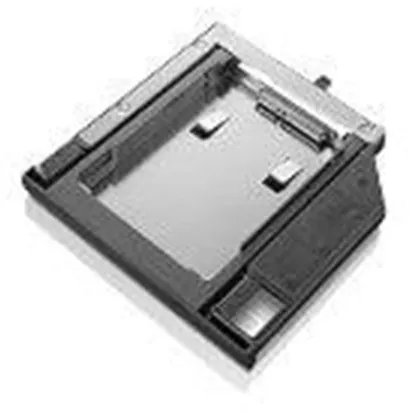
The Lenovo ThinkPad 9.5mm SATA Hard Drive Bay Adapter is a frame that allows you to mount an additional 2.5" SATA hard drive in a ThinkPad laptop with a 9.5 mm media bay. It functions as an expansion solution where the user can add extra storage space or create a backup device directly in the computer.
The adapter is designed as a Field Replaceable Unit (FRU), which means it can be replaced or installed without special tools. It is compatible with several models in the ThinkPad series, including T440p, T540p, W540 and W541.
With a weight of only 68 grams and compact dimensions of 12.8 × 14.16 × 1.16 cm, the adapter fits discreetly into the laptop’s existing design. It comes without a built-in processor and is manufactured in accordance with UL and CB standards for safety and quality.
- Expands storage capacity: Makes it possible to add an extra SATA hard drive in compatible ThinkPad models.
- Lightweight and compact design: Weighs only 68 grams and fits in a 9.5 mm media bay.
- Easy installation: Field Replaceable Unit (FRU) designed for quick assembly without special tools.
- Compatibility: Supports ThinkPad T440p, T540p, W540 and W541 models.
- Quality standards: Complies with UL and CB certifications.
Pros and cons
- Provides the option for additional internal storage in laptops
- Original Lenovo component with precise fit
- Lightweight and robust construction
- Easy to install as an FRU unit
- Only compatible with selected ThinkPad models
- Requires a free 9.5 mm media bay for installation
Pros and cons
Pros
- Provides the option for additional internal storage in laptops
- Original Lenovo component with precise fit
- Lightweight and robust construction
- Easy to install as an FRU unit
Cons
- Only compatible with selected ThinkPad models
- Requires a free 9.5 mm media bay for installation
Pros
- Provides the option for additional internal storage in laptops
- Original Lenovo component with precise fit
- Lightweight and robust construction
- Easy to install as an FRU unit
Cons
- Only compatible with selected ThinkPad models
- Requires a free 9.5 mm media bay for installation
Specifications
- Manufacturer: Lenovo
- Model: 04X1602
- FRU: 0B47315
- Item number: 2687500
- EAN: 5712505763971
- Unit type: Frame
- Product type: Field Replaceable Unit (FRU)
- Dimensions (W × D × H): 12.8 × 14.16 × 1.16 cm
- Weight: 68 g
- Compatibility: ThinkPad T440p, T540p, W540, W541
- Compliance standards: UL, CB
- Processor: Without CPU
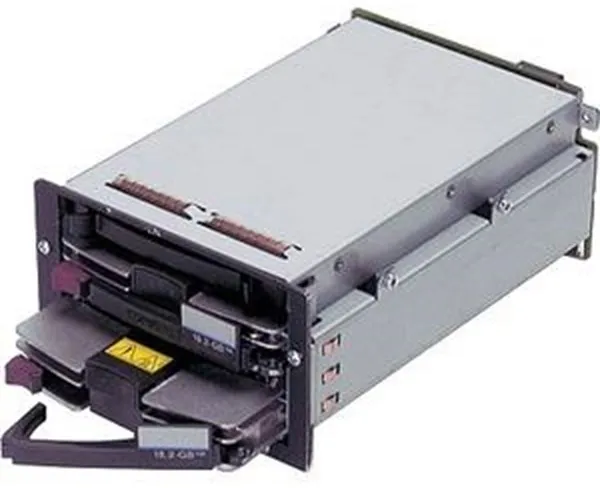
The HP E Premium HDD Front Kit functions as an enclosure for 2.5" storage devices and is developed for use in HPE ProLiant DL560 Gen10 servers. It allows drives to be mounted and replaced at the front of the server without interrupting operation, thanks to its hot-swap design.
The unit supports multiple interface standards – SATA, SAS and PCIe – providing flexibility in the choice of storage media. It is compatible with both standard and NVMe drives, making it suitable for environments requiring high performance and fast data access.
The enclosure is designed to fit precisely into the ProLiant DL560 Gen10 series chassis and is supplied as part of HPE’s Premium series of server accessories, which focus on reliability and compatibility.
- Hot-swap compatibility: Enables drive replacement without downtime.
- Flexible interface support: Compatible with SATA, SAS and PCIe.
- Designed for HPE ProLiant DL560 Gen10: Ensures optimal fit and integration.
- Supports NVMe drives: Enables high-performance storage solutions.
- 2.5" form factor: Suitable for compact server configurations.
Pros and cons
- Supports multiple interface standards (SATA, SAS, PCIe)
- Hot-swap function for easy maintenance
- Compatible with NVMe drives
- Designed specifically for the HPE ProLiant DL560 Gen10 series
- Only compatible with selected HPE server models
- The product is discontinued and may be difficult to obtain
Pros and cons
Pros
- Supports multiple interface standards (SATA, SAS, PCIe)
- Hot-swap function for easy maintenance
- Compatible with NVMe drives
- Designed specifically for the HPE ProLiant DL560 Gen10 series
Cons
- Only compatible with selected HPE server models
- The product is discontinued and may be difficult to obtain
Pros
- Supports multiple interface standards (SATA, SAS, PCIe)
- Hot-swap function for easy maintenance
- Compatible with NVMe drives
- Designed specifically for the HPE ProLiant DL560 Gen10 series
Cons
- Only compatible with selected HPE server models
- The product is discontinued and may be difficult to obtain
Specifications
- Manufacturer: HPE
- Model: 872223-B21
- Item number: 2639420
- EAN: 0190017136899
- Device type: Enclosure for storage device
- Expansion bays: 2 x hot-swap - 2.5" SFF
- Hard drive form factor compatibility: 2.5"
- Interface: SATA / SAS / PCIe
- Features: NVMe drive bay
- Designed for: HPE ProLiant DL560 Gen10 (2.5"), DL560 Gen10 Base, DL560 Gen10 Entry, DL560 Gen10 for SAP HANA Compute Block, DL560 Gen10 Performance
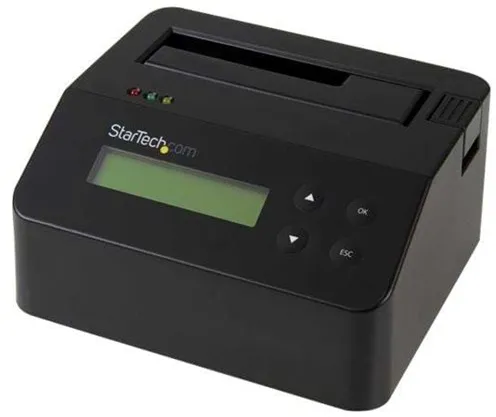
The StarTech.com USB 3.0 Standalone Eraser Dock is designed to allow the user to erase data from 2.5" and 3.5" SATA hard drives and SSDs without connecting to a computer. The device functions as a standalone data eraser, making it suitable for reuse or disposal of storage media in a secure manner.
The dock supports multiple erase modes, including quick erase, single- and multi-pass overwriting, as well as Secure Erase and Enhanced Secure Erase. The advanced methods meet the requirements of the DoD 5220.22-M standard, ensuring that data is permanently removed.
In addition to the erase function, the device can be used as a regular dock for connecting SATA drives via USB 3.0 (also known as USB 3.1 Gen 1) with transfer speeds of up to 5 Gbps. It is equipped with an LCD screen and LED indicators that provide status information during use.
The enclosure is made of black plastic and comes with a USB cable and external power supply. With compact dimensions of 12.3 × 14 × 7 cm and a weight of 570 grams, it is easy to place on a desk or in a service area.
- Standalone data erasure: Erases SATA drives without the need for a computer.
- Multiple erase modes: Supports, among others, Secure Erase and DoD 5220.22-M standard.
- USB 3.0 connection: Provides fast data transfer up to 5 Gbps.
- LCD and LED indicators: Show status for erasure and operation.
- Compact design: Robust black plastic enclosure with included power supply and USB cable.
Pros and cons
- Can be used without a computer for secure data erasure
- Supports both 2.5" and 3.5" SATA drives
- Fast USB 3.0 connection for data access
- Multiple erase modes, including DoD standard
- LCD screen and LED indicators for status display
- Does not support IDE drives
- Requires external power supply during use
Pros and cons
Pros
- Can be used without a computer for secure data erasure
- Supports both 2.5" and 3.5" SATA drives
- Fast USB 3.0 connection for data access
- Multiple erase modes, including DoD standard
- LCD screen and LED indicators for status display
Cons
- Does not support IDE drives
- Requires external power supply during use
Pros
- Can be used without a computer for secure data erasure
- Supports both 2.5" and 3.5" SATA drives
- Fast USB 3.0 connection for data access
- Multiple erase modes, including DoD standard
- LCD screen and LED indicators for status display
Cons
- Does not support IDE drives
- Requires external power supply during use
Specifications
- Manufacturer: StarTech.com
- Model: SDOCK1EU3P
- Item number: 2514309
- EAN: 0065030861137
- Product type: Hard drive eraser / dock
- Supported drives: 2.5" and 3.5" SATA HDD/SSD
- Connection: USB 3.0 (USB 3.1 Gen 1, 5 Gbps)
- Material: Plastic
- Colour: Black
- Dimensions (W × D × H): 12.3 × 14 × 7 cm
- Weight: 570 g
- Features: LCD screen, LED indicator, tested with up to 6 TB 7200 RPM hard drives
- Compliance standards: FCC, RoHS
- Package includes: USB cable, external power adapter
- Designed for: P/N SVA12M5NA
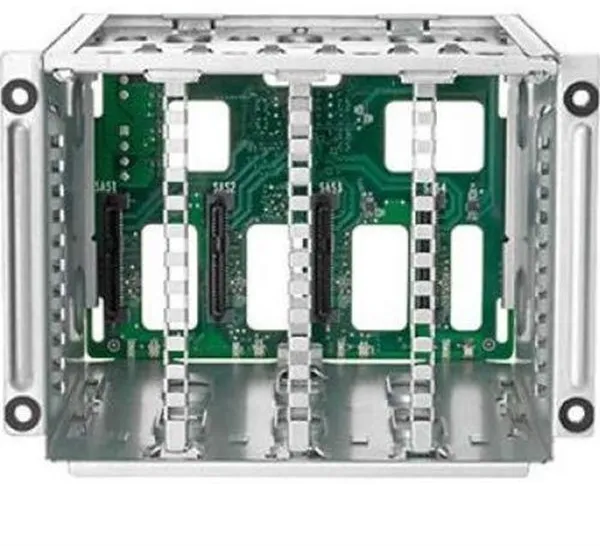
HP E Premium HDD Front Kit is a storage device enclosure that allows 2.5" drives to be mounted in HPE ProLiant Gen10 servers. It supports SATA, SAS and PCIe interfaces, allowing different types of storage media to be combined in the same system.
The unit is equipped with two hot-swap bays in SFF format (Small Form Factor), allowing drives to be replaced without shutting down the server. This makes it suitable for environments where uptime and flexibility are critical.
The enclosure is compatible with a range of HPE ProLiant DL380, DL385 and DL388 Gen10 models as well as Nimble Storage dHCI solutions. It is designed to support NVMe drive bays, enabling high-speed data transfer in modern data centres.
- Supports multiple interfaces: Compatible with SATA, SAS and PCIe.
- Hot-swap design: Two 2.5" SFF bays that can be swapped during operation.
- NVMe compatibility: Prepared for use with NVMe drive bays.
- Server integration: Designed for HPE ProLiant DL380, DL385 and DL388 Gen10.
- Flexible storage expansion: Allows the server's storage capacity to be adapted as needed.
Pros and cons
- Supports both SATA, SAS and PCIe drives
- Hot-swap function for easy drive replacement
- Compatible with several HPE ProLiant Gen10 models
- Option for NVMe drives for higher performance
- The product is discontinued and may be difficult to obtain
- Only compatible with specific HPE servers
Pros and cons
Pros
- Supports both SATA, SAS and PCIe drives
- Hot-swap function for easy drive replacement
- Compatible with several HPE ProLiant Gen10 models
- Option for NVMe drives for higher performance
Cons
- The product is discontinued and may be difficult to obtain
- Only compatible with specific HPE servers
Pros
- Supports both SATA, SAS and PCIe drives
- Hot-swap function for easy drive replacement
- Compatible with several HPE ProLiant Gen10 models
- Option for NVMe drives for higher performance
Cons
- The product is discontinued and may be difficult to obtain
- Only compatible with specific HPE servers
Specifications
- Manufacturer: HPE
- Model: 826687-B21
- Item number: 2628474
- EAN: 0725184031847
- Device type: Enclosure for storage device
- Expansion bays: 2 x hot-swap - 2.5" SFF
- Hard drive form factor compatibility: 2.5"
- Interface: SATA / SAS / PCIe
- Features: NVMe drive bay
- Designed for: HPE ProLiant DL380 Gen10, DL385 Gen10, DL388 Gen10 and Nimble Storage dHCI Large Solution
Different types of hard drives
There are several types of hard drives, each with its own advantages and disadvantages depending on usage.
1. Mechanical hard drives (HDD)
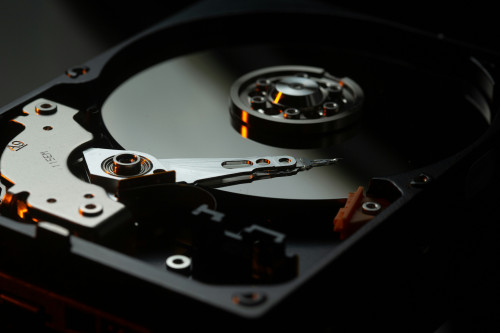
The classic HDD uses rotating platters to store data. They offer large capacity at a low price, making them ideal for archiving and backup. The downside is that they are slower and more vulnerable to shocks than SSDs.
2. Solid State Drives (SSD)
SSDs store data on flash memory and have no moving parts. They are faster, quieter, and more durable than HDDs. SSDs are, however, more expensive per gigabyte but provide significantly better performance for both startup and file transfer.
3. Hybrid drives (SSHD)
An SSHD combines a traditional HDD with a smaller amount of flash memory. It stores frequently used files in the fast section, providing quicker access times without sacrificing capacity.
4. Network-attached hard drives (NAS drives)
NAS drives are used in network storage systems and make it possible to share files between multiple devices. They are ideal for home networks or small offices where several users need access to the same data.
Different brands of hard drives
The hard drive market is dominated by a few major manufacturers, each with its own strengths and focus areas.
Seagate
Seagate is one of the best-known manufacturers and offers a wide range of both internal and external drives. The brand is known for high capacity, reliability, and models aimed at both private and professional users.
Western Digital (WD)
Western Digital produces hard drives in several series, each aimed at different needs – from the energy-efficient Green series to the high-performance Black series. WD is especially popular among gamers and creative users.
Toshiba
Toshiba offers both internal and external hard drives with a focus on stability and good pricing. Their models are often used in laptops and as backup solutions.
Samsung
Samsung is particularly known for its SSDs but also produces reliable external hard drives. The brand emphasises speed, design, and user-friendliness.
LaCie
LaCie, owned by Seagate, mainly targets professional users with a focus on design and durability. Many models are designed for photographers, video producers, and creative professionals who need reliable external storage.
Frequently asked questions
How long does a hard drive last?
The lifespan depends on usage and quality, but most hard drives last between 3 and 7 years. Regular backups are recommended, as mechanical parts can wear out over time.
What is the difference between HDD and SSD?
HDDs use rotating platters, while SSDs use flash memory. SSDs are faster and more shock-resistant but more expensive per gigabyte. HDDs offer more storage for the money.
Can you use an external hard drive for backup?
Yes, external hard drives are ideal for backup. They can easily be connected via USB and used to copy important files manually or through automatic backup programs.
How do I know which hard drive fits my computer?
Check your computer’s specifications for compatible connections (SATA, USB, NVMe, etc.) and form factor (2.5" or 3.5"). Then choose a model that matches your needs for speed and capacity.
Should you defragment a hard drive?
Only mechanical HDDs benefit from defragmentation, as it can improve read speed. SSDs should not be defragmented, as it can shorten their lifespan.
Læs også: